Your entire PCB flow in one tool, from schematic to 3D layout and simulation.
Try for free for 30 daysA library the design process can rely on.
PCB designFrom schematic to layout with full control.
Simulation & analysisFind the errors before the prototype does.
Thermal Simulation and AnalysisHeat accounted for from copper to enclosure.
CFD meshing & simulationThermal and flow analysis for robust designs.
RF and Antenna DesignAt high frequencies, the copper matters.
Wireless Communication & IoTRange is decided by the final millimetres.
System-Level DesignThermal and mechanical aspects calculated in time.
PLMThe current version, in one place.
Data CenterCooling determines the capacity.
Cloud ServicesComputing power when the calculation is too large.

Your entire PCB flow in one tool, from schematic to 3D layout and simulation.
Try for free for 30 daysSpecialists who work in the tools themselves.

Nordcad Customer PortalCases, licences, and downloads gathered in one place.
Software DevelopmentIntegrations and solutions that eliminate intermediate work.
MigrationFrom your legacy PCB tool to OrCAD X.
Cadence KnowledgeCadence's knowledge base with articles and guides.

Your entire PCB flow in one tool, from schematic to 3D layout and simulation.
Try for free for 30 days

Your entire PCB flow in one tool, from schematic to 3D layout and simulation.
Try for free for 30 days Reality DC Asset Twin

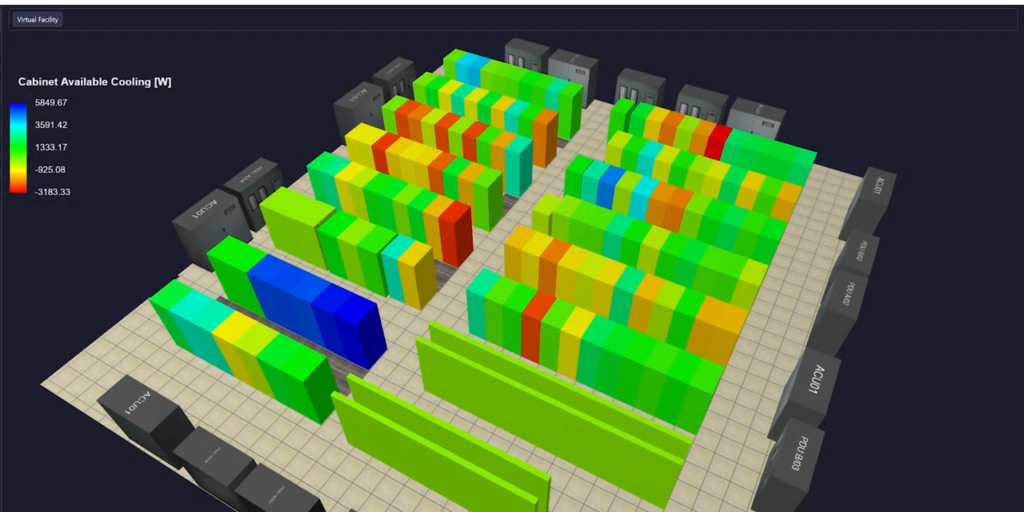
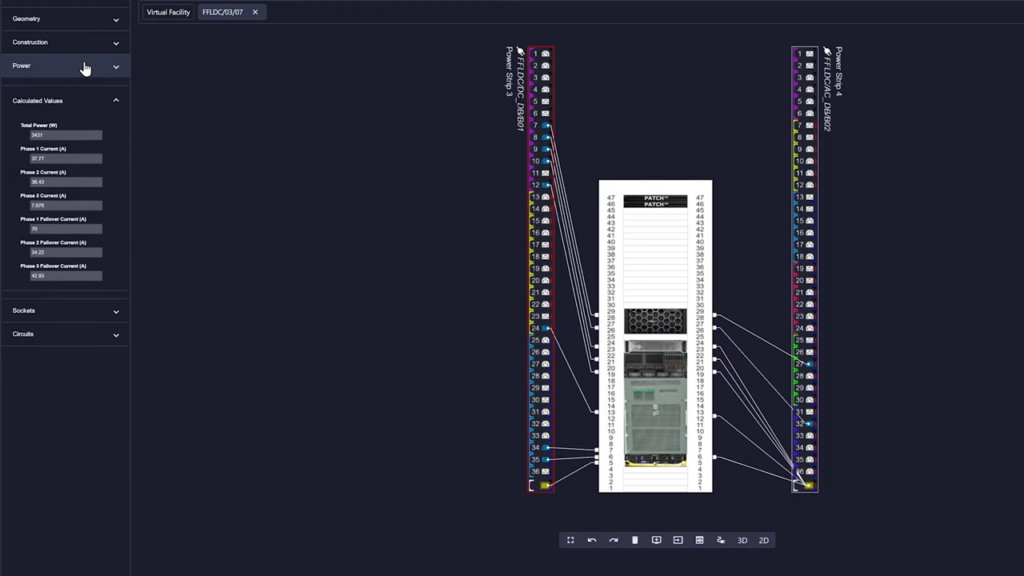
Reality DC Asset Twin provides a searchable overview of all data center equipment, with power, space, weight, and network ports calculated together. When new equipment arrives, you get a clear answer on where it can be placed.
"*" indicates required fields


The challenge
The solution

HOW IT WORKS
VALUE
A searchable overview of the room, with total capacity calculated and changes tracked along the way.
An overview that does not match the room is worse than no overview at all.
Space in the rack is not enough. Power, weight, and ports must also fit.
An unmapped power path is a risk nobody chose.

Connections are often the least documented element.
The data must be usable by people other than those who maintain it.

Implementation
Cadence provides the platform. Nordcad helps you ensure the overview reflects your actual room.
Asset lists, floor plans, and spreadsheets are the starting point. We help assess what can be used and what needs verification.
The overview is only accurate if changes are recorded as they happen. We provide guidance on how to make this part of daily operations.
You get direct access to Nordic specialists. A question receives an answer in your local language on the same day.
Ready?
A short conversation is usually enough to clarify whether Asset Twin covers your needs, or if you also need to calculate cooling. No sales pitch. No pressure. Just an open dialogue about how you currently determine if there is space.
FAQ
Asset Twin tracks equipment, capacity, power, and network. Digital Twin does the same and also calculates airflow and temperature using CFD. If the overview is what is missing, Asset Twin is typically the right place to start.
From your current asset lists, DCIM, and spreadsheets. The platform can connect to several systems you already use, eliminating duplicate data entry.
It is the answer to whether new equipment can be placed in a specific location. Green means that power, space, weight, and ports are sufficient. Yellow means it is only possible under certain conditions. Red means it is not possible.
Yes. Digital Twin builds on the same overview and adds CFD on top.

Contact us
A brief dialogue is often enough to clarify if Nordcad is the right choice for you. No pitch. No pressure.


15+ specialists