OrCAD X

Your entire PCB flow in one tool, from schematic to 3D layout and simulation.

Try for free for 30 days

Try the tools Contact us

PSpice

Test the circuit before it's made of copper

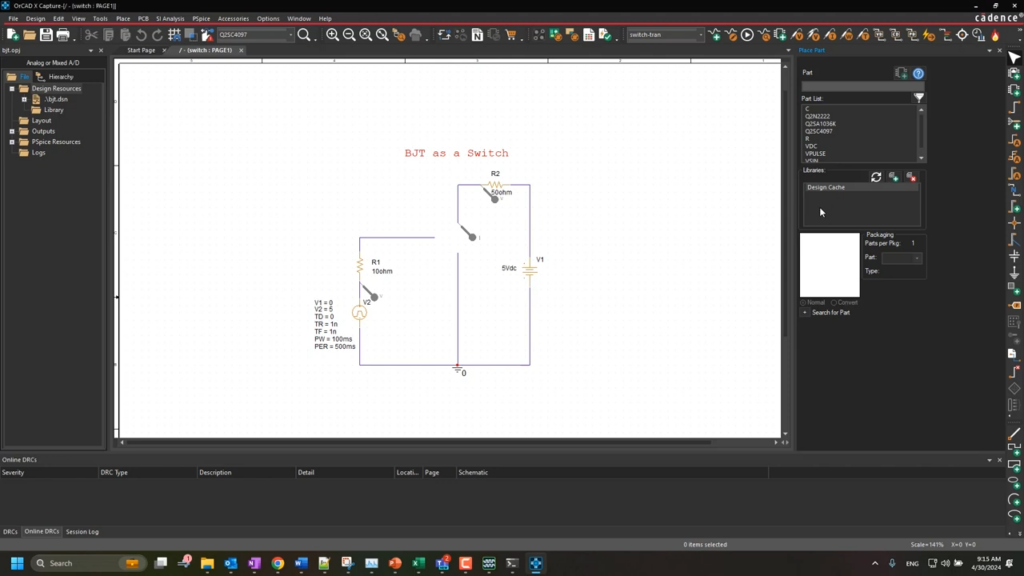
PSpice simulates analog and mixed-signal circuits directly from the schematic in OrCAD X. You can see how the circuit behaves at the extremes of the tolerances long before the first prototype is on the table.

3,600+ installations throughout the Nordics

The challenge

It costs you time and money

  • The circuit is first tested on the assembled circuit board
  • Component tolerances are not tested because it requires too many prototypes
  • A component is operating close to its limit without anyone noticing
  • Support responses that take days

The solution

We give you control back

  • The circuit simulated directly from the diagram
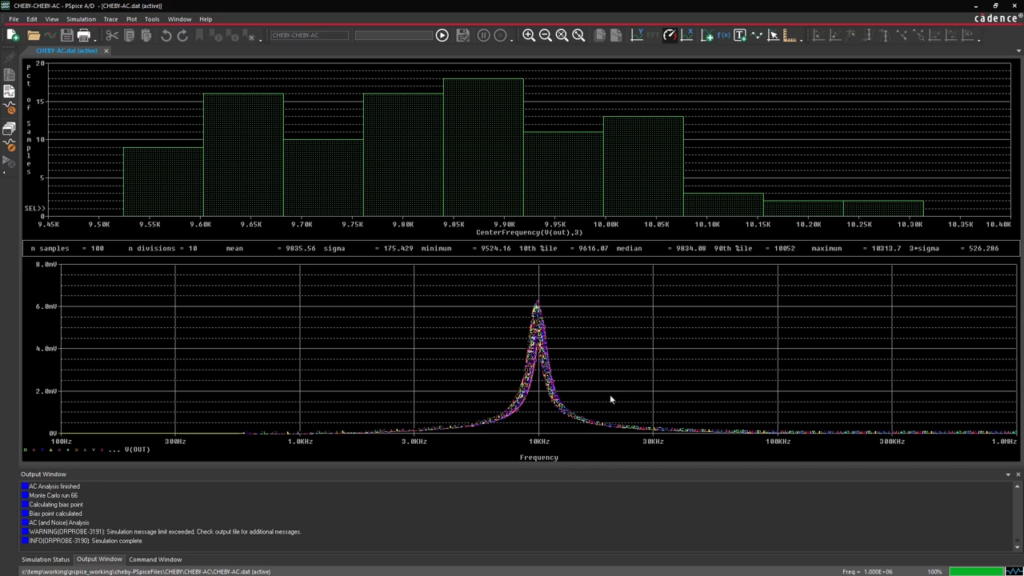
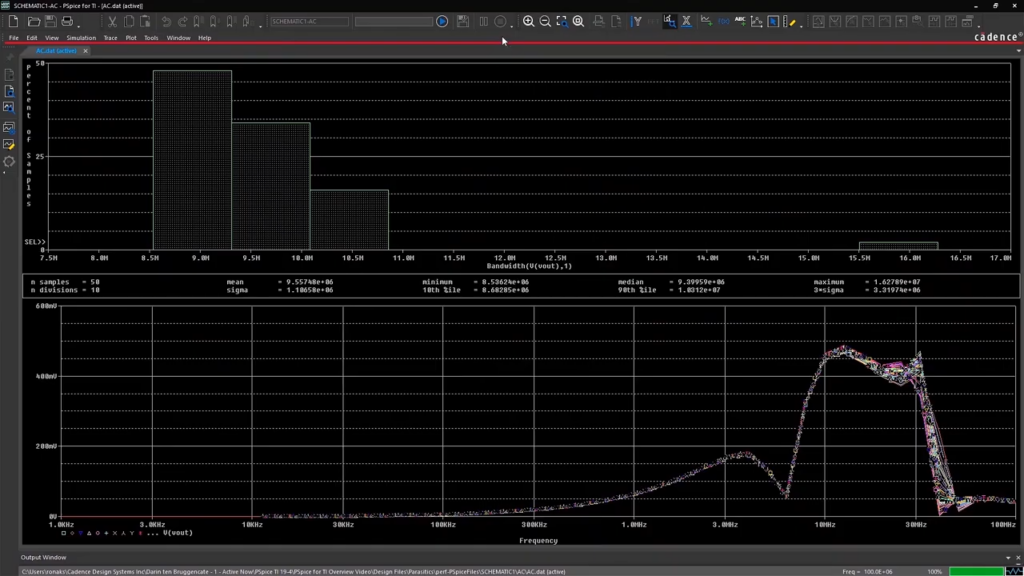
  • Tolerances and variation calculated using Monte Carlo simulation
  • Components under excessive stress are automatically flagged
  • Local hotline with responses from a specialist on the same day
Martin Lange

HOW IT WORKS

The simulation is shown in the chart

The same environment as the designPSpice runs alongside OrCAD X Capture. The circuit is simulated on the schematic that will later become the layout—not on a model drawn separately.
Analog and Digital in the Same SimulationMost circuits are both. PSpice is built from the ground up for analog and mixed-signal, so the comparator and logic can run in the same simulation.
Not one answer, but manyEach individual simulation shows that the circuit works. What’s interesting is what happens to the variation in components, temperature, and supply voltage—and that’s where the tolerance and stress analyses come in.

VALUE

PSpice covers everything from a single response to the entire distribution

From classical analyses to Monte Carlo simulations, stress analysis, and optimization—for both analog and digital circuits.

Analyses

The foundation is the analyses on which every circuit simulation is based.

Bias point, DC and AC sweepOperating point and frequency response
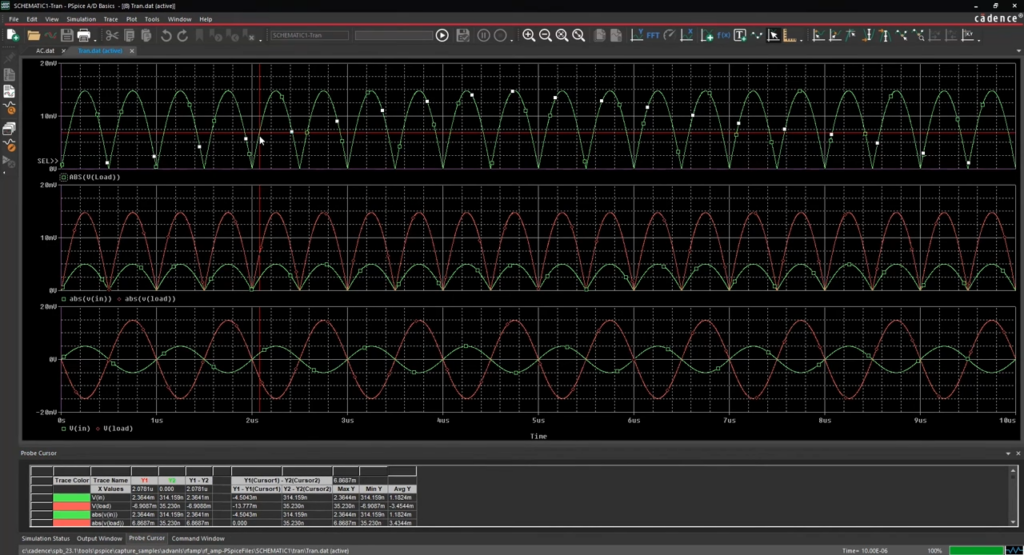
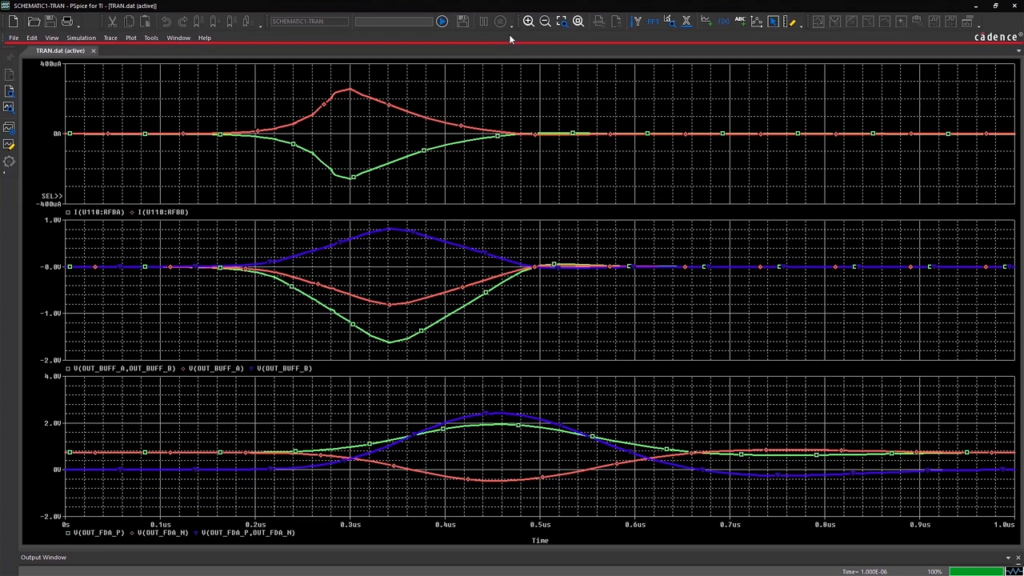
Transient AnalysisWhat Happens Over Time
Noise and Temperature AnalysisEven at the extremes of the temperature range
Explore

Analog og mixed-signal

Very few circuits are purely analog, and very few are purely digital.

Native mixed-signalAnalog and digital in the same simulation
Behavioral ModelingBlocks Described by Their Behavior
Verilog-A and Verilog-AMSCustom models, where needed
Explore

Tolerancer og robusthed

A circuit that works with nominal components is not the same as a circuit that works in production.

Monte CarloVariation across component tolerances
Worst-case scenarioThe most unfavorable combination
Stress AnalysisComponents operating near their limits
Explore

Optimering og følsomhed

When the circuit is working, the question is which components actually determine the result.

Sensitivity AnalysisWhich components have the greatest impact
OptimizationValues adjusted to meet a defined goal
Parametric PlotMultiple parameters compared in a single view
Explore

Modeller og integration

A simulation is only as good as its models—and is only useful if it fits in with the rest of the work.

Over 33,000 ready-made modelsFrom a wide range of component suppliers
Importing the Supplier's SPICE ModelsGuide to adding them to the library
MATLAB SimulinkElectronics and Control Simulated Together
Explore

Implementation

How PSpice Works in Practice

Cadence provides the simulator. Nordcad helps you use it to answer your own questions.

The Right Version from the Start

PSpice is available in several versions. The simplest version covers basic circuits, while tolerance, stress, and optimization analyses are included in the more advanced versions. We can help you determine what you actually need.

The models are in place

Most component suppliers provide SPICE models, but these vary in quality and need to be added to the library. We’ll show you how to import them and what to look out for when a model doesn’t behave as expected.

Local expertise and ongoing support

You'll have access to specialists who work with both simulation and design. A question about a simulation that isn't converging will be answered the same day, rather than next week.

Ready?

Ready to design with peace of mind?

A brief conversation is usually enough to determine which version of PSpice is right for your circuit. No sales pitch. No pressure. Just an open discussion about what you’d like to know before building the prototype.

FAQ

Frequently Asked Questions

A basic version is included in several of the packages, but it has limitations on the size of the circuit it can simulate, and it does not include tolerance and optimization analyses. We can review what your current license covers before you make a purchase.

Yes. PSpice can import SPICE models, and it comes with over 33,000 pre-built models. The quality of vendor models varies, and that’s often where a simulation yields an unexpected result—it’s one of the things our support team spends the most time on.

The simplest version has an upper limit on circuit size. The next version removes that limit and adds stress analysis and model editing. The most comprehensive version adds optimization, sensitivity analysis, and integration with MATLAB Simulink. Which one is right for you depends more on what you want to analyze than on the size of the circuits.

PSpice simulates the circuit, not the board. Layout-related parasitic effects, signal integrity, and power integrity are handled in Sigrity X, and thermal analysis in Celsius. We’ll let you know if your question is better suited for another part of our portfolio.

Contact us

Let us review your setup – without obligation.

A brief dialogue is often enough to clarify if Nordcad is the right choice for you. No pitch. No pressure.

15+ specialists