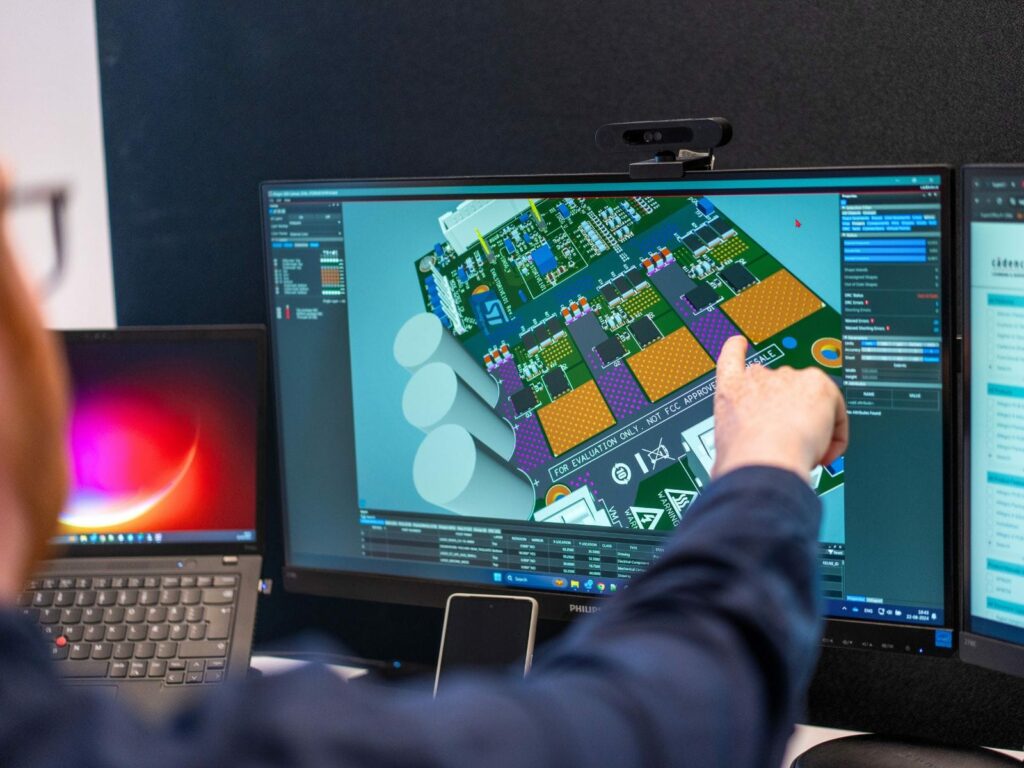
OrCAD X

Your entire PCB flow in one tool, from schematic to 3D layout and simulation.

Try for free for 30 days
Try the tools Contact us

Celsius Studio

Heat calculated from chip to enclosure

Celsius Studio is Cadence's unified platform for thermal analysis of electronics. Three solvers each cover their own level — current in the board, chip and package, and air in the enclosure — reading the design directly from your ECAD and MCAD tools.

3,600+ installations throughout the Nordics

The challenge

It costs you time and money

  • Electrical analysis assumes a fixed temperature
  • The board must be simplified before cooling can be calculated
  • Board, package, and enclosure are calculated in separate tools
  • Support responses that take days

The solution

We give you control back

  • Current and temperature are calculated in the same analysis
  • PCB and MCAD data are imported as they are
  • Chip, board, and enclosure in the same platform
  • Local hotline with responses from a specialist on the same day

HOW IT CONNECTS

Current generates heat, and heat alters the current

Electrical and thermal domains calculated together

Resistance increases with temperature, and higher resistance generates more heat. Calculating the two separately leads to inaccurate results for both. In Celsius, they are coupled in the same calculation.

Three levels in a single environment

Board, chip, package, and enclosure operate within the same platform. This means the temperature of a component can be analyzed in the context of the surrounding airflow — rather than assumed as a fixed value.

The design imports directly from your tools

PCB data is read from Allegro and OrCAD as well as other ECAD tools, including ODB++ and IPC-2581 formats. Mechanical data can be imported from tools like Creo, SolidWorks, or CATIA.

Søren Jul Christiansen
Søren Jul ChristiansenSenior Application Engineer

THE FULL SUITE

Thermal analysis requires knowledge of both electronics and mechanics.

Specialists on both sides of the cableWe work with ECAD tools daily and understand the thermal aspects of the same design.
We will let you know when one solver is enoughFew teams need all three from the start. We clarify this before any purchase is made.
Local supportHotline with real people in the Nordics. 96% of our customers stay with us.

Ready?

Ready to design with peace of mind?

A brief conversation is usually enough to clarify at which level your thermal challenge lies — and whether it requires one solver or several. No sales pitch. No pressure. Just a straightforward discussion about your design challenges.

FAQ

Frequently Asked Questions

It depends on where the heat is generated. If it is current in the board — IR drop, hot copper traces, overheating vias — PowerDC is the right choice. If it is temperature within a chip or package, Thermal Solver is used. If it concerns the enclosure and cooling, EC Solver is the solution. We are glad to review this together before you decide.

Both simulate fluid flow and heat, but they are built for different applications. EC Solver is designed for electronics cooling: fans, heatsinks, and PCBs are available as built-in objects, and ECAD data is imported directly. Fidelity CFD is built for general fluid dynamics — turbomachinery, marine applications, aerodynamics — where mesh control is critical. If your task is within an electronics enclosure, EC Solver is typically the most direct path.

PowerDC calculates DC conditions: IR drop, current density, and the heat generated by the current. Sigrity X covers the AC domain — power integrity at high frequencies and signal integrity. Many teams use both, as they address two distinct questions regarding the same board.

No. Celsius reads data directly from both OrCAD and Allegro, and data from other ECAD tools can be imported via formats such as ODB++ and IPC-2581. Mechanical data can come from tools like Creo, SolidWorks, and CATIA.

Celsius Studio can calculate thermal stress and warpage, but not drop, shock, and vibration for the complete product — which requires structural analysis tools. And for fluid flow outside of electronics, Fidelity CFD is the appropriate solution. We will let you know if your requirements are better addressed elsewhere in the portfolio.

Contact us

Let us review your setup – without obligation.

A brief dialogue is often enough to clarify if Nordcad is the right choice for you. No pitch. No pressure.

15+ specialists