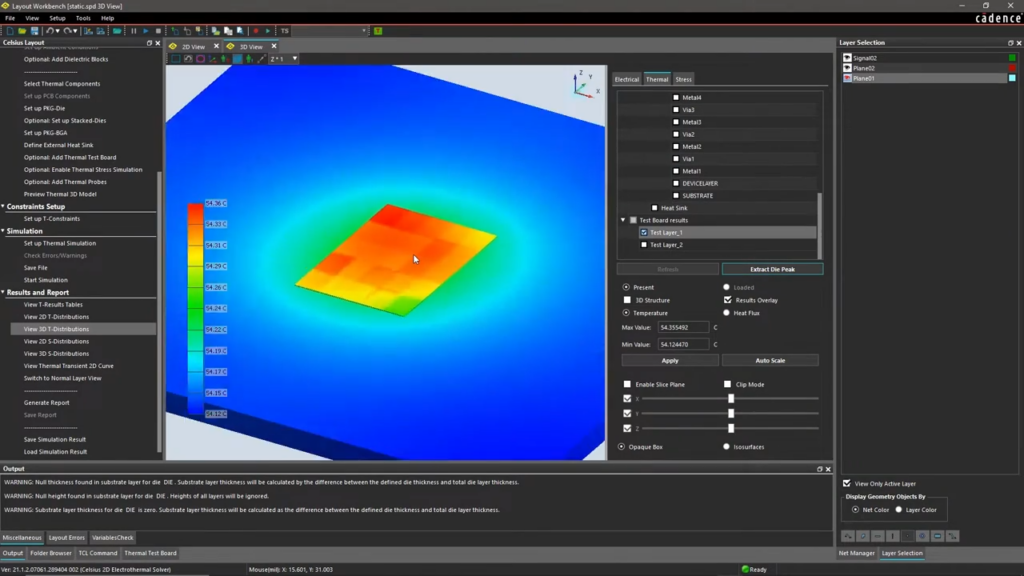
Check the temperature before the hardware is available
Celsius Thermal Solver calculates the temperature from the chip to the finished system using heat conduction, convection, and radiation in a single model—and with the electrical analysis integrated, so the temperature is not an estimate.
The temperature can only be determined once there is hardware available to measure it
Chips, packages, and boards are calculated separately, with assumptions made between them
Heat causes warping, but this is detected during installation
Support responses that take days
The solution
We give you control back
The temperature was calculated based on the design, long before the first prototype was built
Chip, package, board, and enclosure in the same model
Thermal stress and warpage calculated using the same model
Local hotline with responses from a specialist on the same day
HOW IT WORKS
Two methods in the same model
FEA for cables, CFD for air
Heat conduction through materials is calculated using the finite element method, while convection and radiation are calculated using fluid dynamics. These methods are used together because heat rarely travels in only one direction.
The Entire Hierarchy in a Single Model
From die and package to board and enclosure. This means that the temperature of a component can be viewed in the context of its surroundings.
Connected to the electrical system
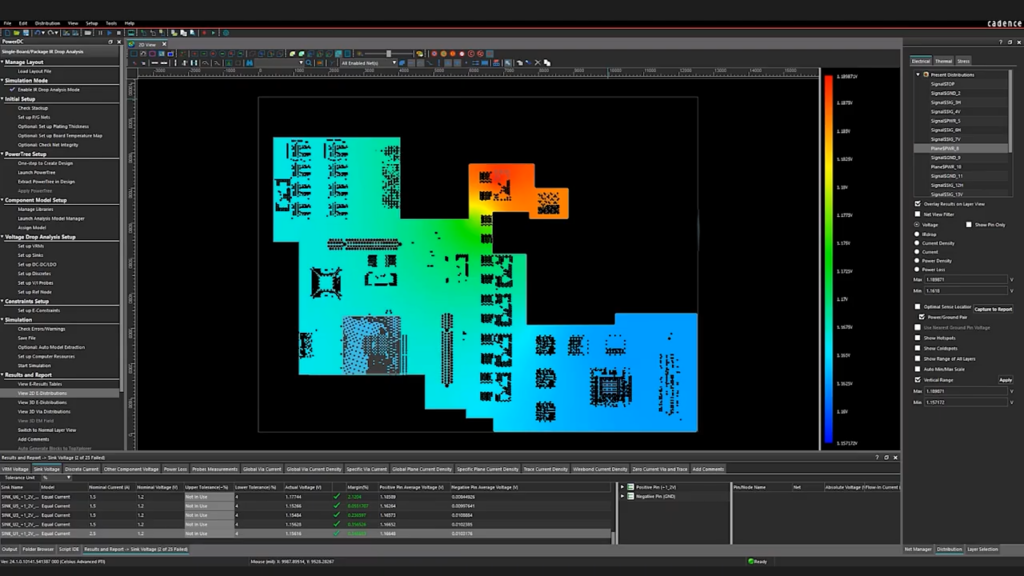
The power loss is derived from the electrical analysis rather than from a spreadsheet, and the temperature is fed back. That is the difference between a thermal analysis and an electrothermal analysis.
VALUE
Thermal Solver covers everything from the die to the enclosure
Electrothermal analysis, transient behavior, 3D-IC, and mechanical consequences—all calculated using the same model.
Elektrotermisk analyse
Power is converted into heat, and heat alters electrical behavior. Both factors are included in the same calculation.
Power loss as inputFrom the electrical analysis, not from an estimate
Temperature in the modelResistance and power loss depend on temperature
Even heat distributionThe heat remains where it is actually generated
Stationært og transient
A product rarely operates under a constant load. It is the operating cycle that determines how hot it gets.
Steady-State AnalysisTemperature at equilibrium
Transient AnalysisHeating, load spikes, and cooling
Thermal throttlingWhen the system slows down to protect itself
Chip, package og 3D-IC
The more tightly the components are packed, the more heat determines what is even possible.
Die, package, and substrateModeled separately within the same model
3D Stacks and TSVsHeat between the stacked dies
Placement of Temperature SensorsWhether they measure where it gets the hottest
Mekanisk konsekvens
Heat isn't just a temperature reading. It becomes a movement within the materials.
Thermal StressMaterials expand at different rates
WarpageThe board and the package are warped
Foundation for the Next StepThe foundation for a proper structural analysis
In the design flow
The thermal analysis is only useful if it can be run on the design currently being worked on.
Allegro X and Virtuoso StudioPackage, board, and custom IC
ODB++ and IPC-2581Also from other ECAD tools
Part of Celsius StudioSame environment as the other solvers
Implementation
How Thermal Solver Works in Practice
1. Start with a familiar component
The most instructive first experiment is one involving a component that you already know gets too hot. That way, you can compare the model to something you've measured.
2. Consulting on material data and boundary conditions
The results are only as good as the input data: material properties, power losses, and what happens at the model’s boundaries. We advise on what’s worth spending time on and what can be simplified.
3. Local expertise and continuous support
You’ll have access to specialists who are knowledgeable about both the electronics and the thermal aspects. Questions about a specific model will be answered during an active project.
Ready?
Ready to design with peace of mind?
A brief conversation is usually enough to determine the root cause of your overheating problem. No sales pitch. No pressure. Just an open discussion about the design that’s running too hot.
Thermal Solver is designed for electrical components: chips, packages, and boards, with power loss and temperature linked together. EC Solver is designed for cooling: air, fans, heat sinks, and enclosures, with predefined objects for these components. If the problem lies in the component, use Thermal Solver. If it lies in the enclosure, use EC Solver.
Thermal Solver can calculate thermal stress and warpage. If you need to move on to drop, impact, vibration, or nonlinear mechanics analysis of the entire product, you’ll need actual structural analysis tools. That’s where system-level analysis begins.
Accurate enough to rank components. Even rough figures show where heat accumulates and which components are critical. If the results are to be used as documentation, the power losses must be derived from the electrical analysis rather than from the maximum values listed in the data sheet.
No. Integration is most seamless with Allegro X and Virtuoso Studio, but data can also come from other ECAD tools.
Contact us
Let us review your setup – without obligation.
A brief dialogue is often enough to clarify if Nordcad is the right choice for you. No pitch. No pressure.

 Celsius Thermal Solver