The current version is available in only one place
Most development departments have their data under control. The problem arises when that data needs to be shared: across disciplines, across systems, and across companies. PLM isn’t an archive—it’s the agreement on what’s current right now.
The latest file is on a drive—someone needs to remember that
The bill of materials is revised for each department
ECAD and MCAD are each working on their own version
A change reaches production too late
The solution
We can return control to you
One current version; the rest are historical versions
The bill of materials is generated from data rather than being rewritten
Same change, same time, both sides
The change follows a controlled path out of the building
THE PROCESS
Three places where data tends to go missing
It is rarely the document itself that is the problem. It is the traditions—and there are typically three of them.
Between developers and developers
Which diagram is the current version, and which components have been released? This determines whether the rest of the chain is working on the correct basis.
Result: everyone is designing based on the same version.
Between Electronics and Mechanics
The card must fit inside the case, and the case itself is changing as well. Two worlds, two systems, one product.
Result: changes that are immediately visible on both sides.
Between the development and the rest of the house
Purchasing, Production, and Quality are continuing to work on the bill of materials. They need the same one—not a copy from last Friday.
Result: one bill of materials that applies throughout the entire process.
TOOLS
Two paths to the same goal
Some companies need a system to manage product data. Others already have one—and need to integrate their design data into it. We handle both.
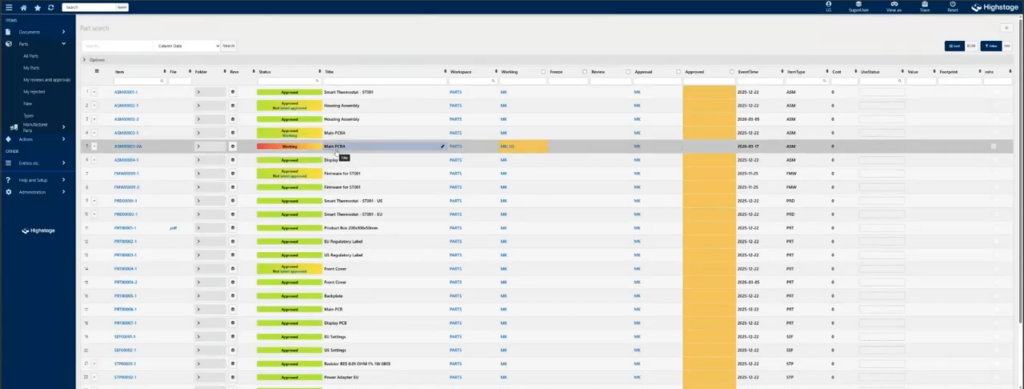
Highstage
Product Data Management A single location for product data, documents, bills of materials, and changes. For those of you who don’t yet have a PLM system, or who have outgrown the one you have.
Integration The bridge between your design tools and the PLM or ERP system you already use. Data stays where it belongs—it just moves to the right place.
Four Things That Become Easier When Data Is Stored in One Place
No one buys PLM just to have an archive. People buy it to avoid four recurring problems.
The parts list—everyone works from it
The bill of materials is the document that most people in the company handle—and the one that most often exists in multiple versions.
Generated from design dataNot re-entered into the spreadsheet
One current versionThe rest is history, not alternatives
Visible to Purchasing and ProductionSame figures as in development
Changes You Can Track
The question always comes up: Why was it changed, when, and who approved it?
Managed Change ProcessFrom Proposal to Release
Full HistoryEvery revision can be retrieved
Approval Before ReleaseNot after the map has been built
Electronics and Mechanics in the Same Version
The card must fit inside the case. Both components change over time, and they rarely change at the same time.
Design Data in Both DirectionsThe change is visible on the other side
Common Component BaseThe same data in both worlds
Fewer surprises during assemblyThe problem lies in the model
Documentation that can be presented
In industries where documentation must be approved, it is part of the product, not an afterthought.
Documents Related to the ProductNot in a folder
Traceability of RequirementsFrom the requirement to the component that fulfills it
Ready for an auditBecause it is updated on an ongoing basis
Martin LangeHead of Support & Service
THE FULL SUITE
A PLM project succeeds or fails based on the process, not the system.
We’ll start with what you’re doing todayThere’s always a workflow. It must be understood before it can be supported.
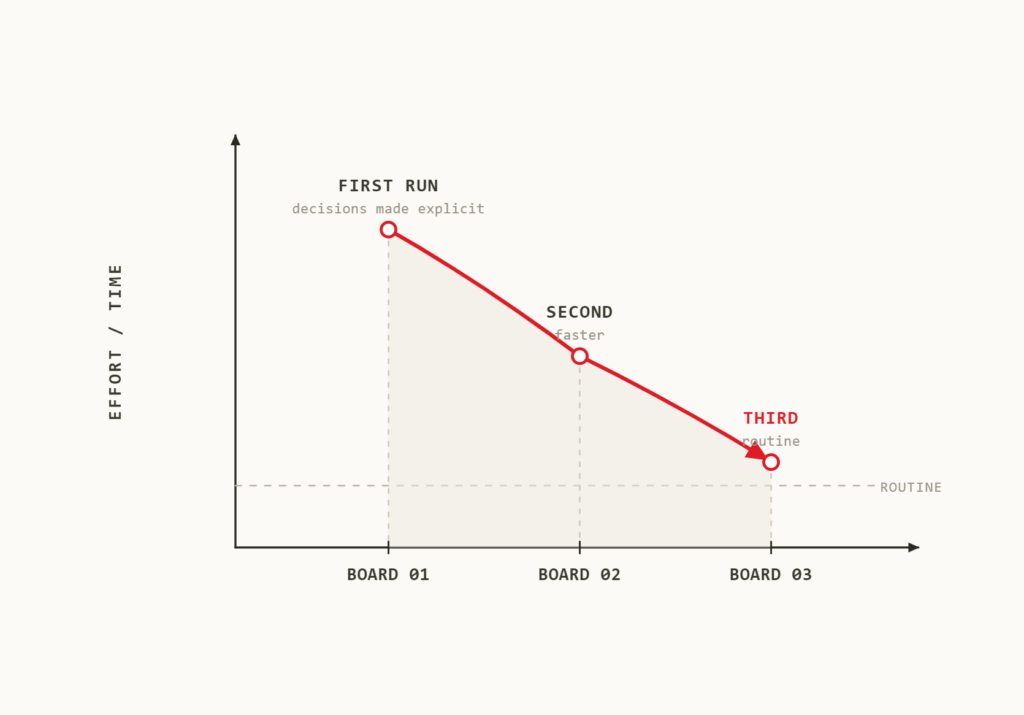
We'll implement it in stagesFirst the bill of materials, then the changes, then the rest. Making a major change all at once is the surest way to lose support.
Same-day local supportDirect hotline with real specialists in the Nordics. 96% of our customers stay with us.
It's rarely a matter of size. It's the number of iterations. A team of ten working on three product variants has more iterations than a team of fifty working on a single product.
An ERP system is designed for what happens after release. PLM covers what happens before—while changes are still being made. Most companies need both, and they need them to work together.
If you don't have a PLM system, Highstage is the place to start. If you have one that you're happy with, XPLM is the way to get your design data into it without switching systems.
Yes. Highstage can serve as the system, and XPLM as the link to the surrounding design tools and ERP systems.
It depends on how much you want to include from the start. We recommend starting with one area—typically the bill of materials—and expanding from there. It’s faster to get started, and it’s easier to get the team on board.
They're coming along. One of the first things we look at is how much cleanup will be needed along the way—and that's usually the part that takes up the most time.
Contact
Tell us where data problems usually occur
We don't need to see your entire process to offer useful feedback. One example of a change that didn't get through in time is usually enough. No sales pitch. No pressure.
 SOLUTION · PLM