
OrCAD X

Your entire PCB flow in one tool, from schematic to 3D layout and simulation.

Try for free for 30 days

Try the tools Contact us

Constraint Manager

Constraints that apply within the tool, not just within the document

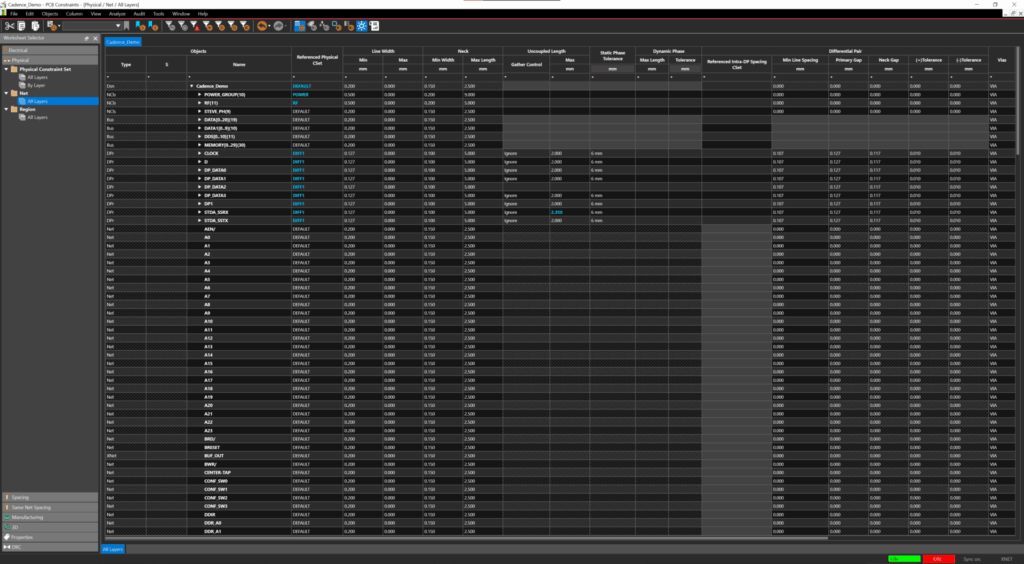
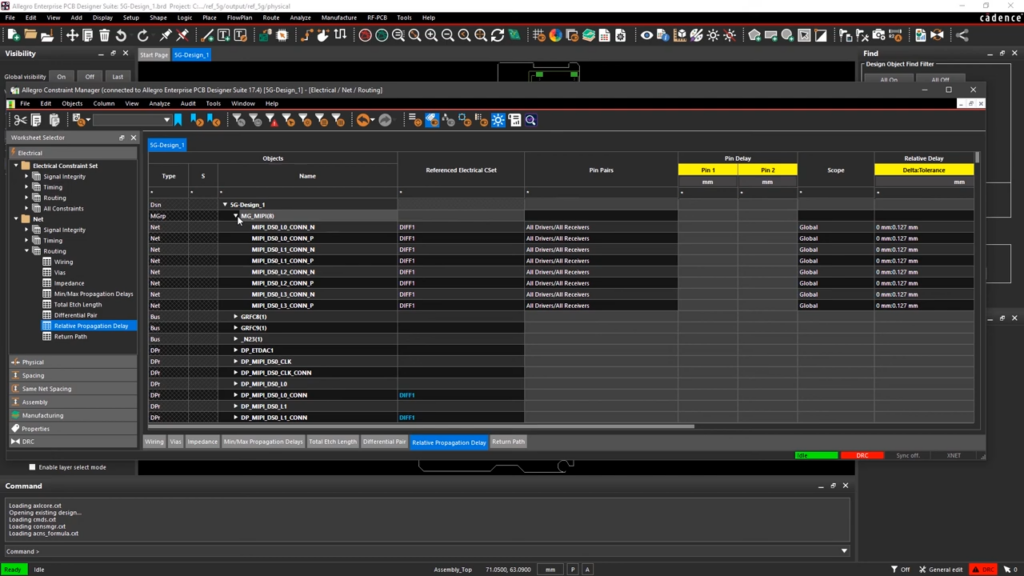
Constraint Manager consolidates the electrical and physical constraints for a design into a single overview. The rules apply to both the schematic and the layout, and they are enforced during routing rather than checked afterward.

3,600+ installations throughout the Nordics

The challenge

It costs you time and money

  • The requirements are listed in a document that the layout does not recognize
  • Requirements from the schematic must be communicated to the person doing the routing
  • The rules are redefined from scratch for each new project
  • Support responses that take days

The solution

We give you control back

  • Constraints are inherent in the design in which they are used
  • The same rules apply to both the schematic and the layout
  • Set of rules reused from project to project
  • Local hotline with responses from a specialist on the same day
Martin Lange

HOW IT WORKS

One place for everything the PCB must comply with

A Single Overview Instead of Scattered SettingsElectrical, physical, and spacing constraints are consolidated into a single view, organized by mesh and groups of meshes. That’s where you can see what applies.
Follows the design from schematic to layoutA constraint entered in the schematic also applies during routing. It does not need to be passed on, and it cannot be overlooked along the way.
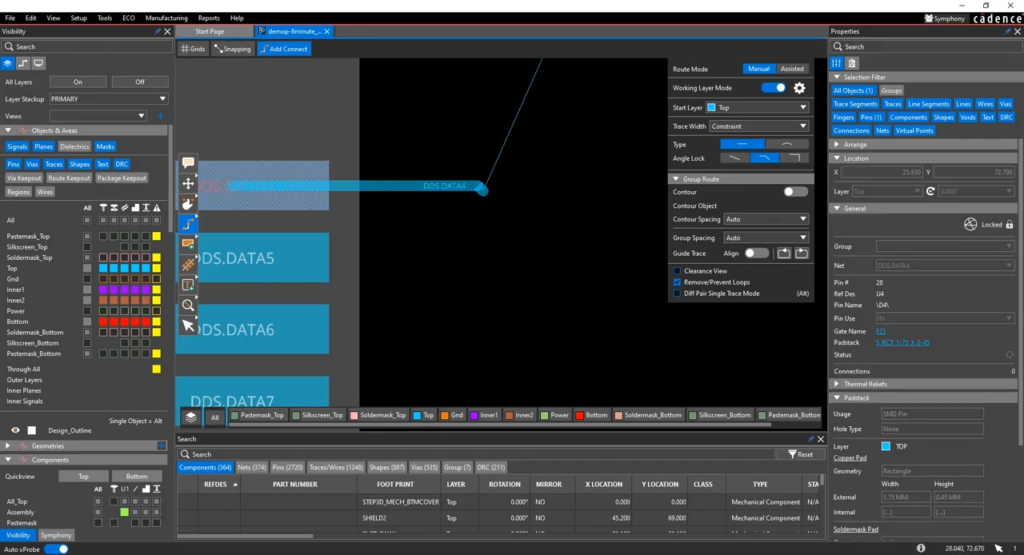
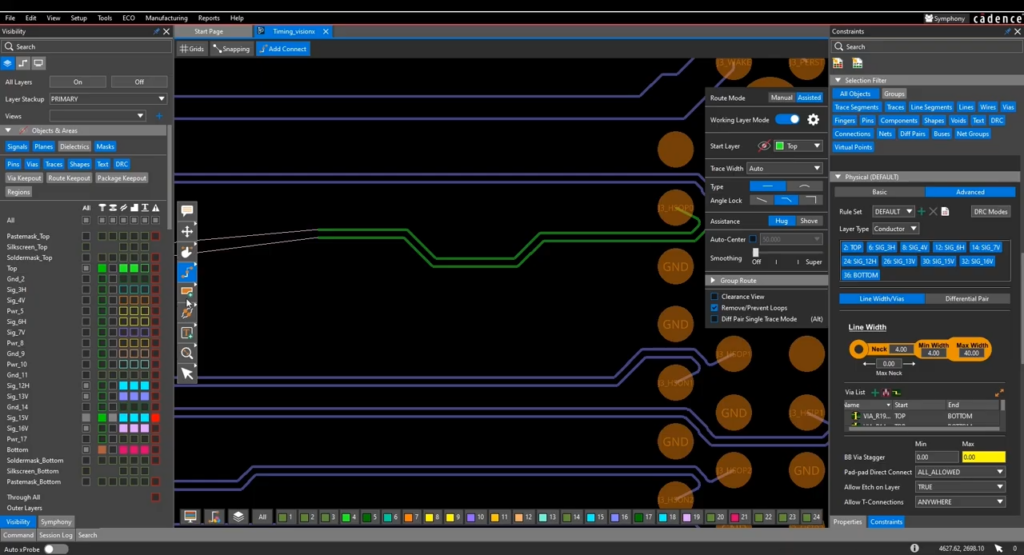
Feedback While RoutingThe layout immediately shows when a trace violates a constraint. The error is corrected before construction continues.

VALUE

Constraint Manager covers the requirements from the initial layout to the finished PCB

Physical rules, high-speed requirements, and reuse—defined in one place and applicable throughout.

Fysiske regler og spacing

Trace widths, clearances, and vias are the foundation, and they must be correct throughout the entire PCB.

Trace widths and viasPer net, layer, and area
ClearancesBetween nets, groups, and objects
RegionsOther rules under a BGA or in a nearby area

High-speed-krav

In high-speed signals, the length and shape of the trace are part of the circuit.

Differential pairsHandled as pairs throughout, with phase control
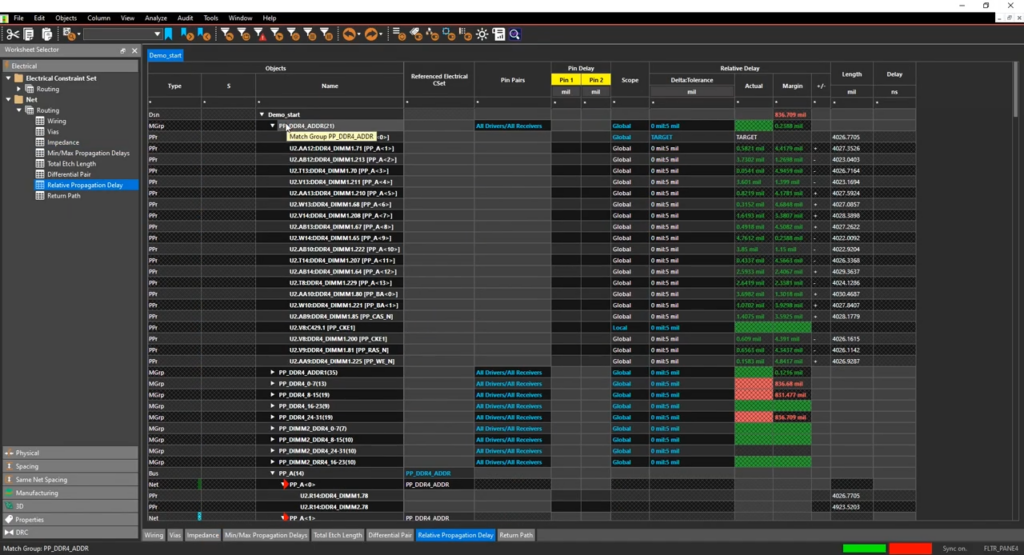
Length and delay matchingReal-time feedback during routing
TopologyThe order in which the network is connected

Fra schematic til layout

The requirement is established where it is decided and applies where it must be complied with.

Constraints in the schematicIn System Capture or Capture
Synchronized with the layoutSame rules in both places
Bidirectional changesKeep design and layout synchronized

Kontrol og overblik

A constraint whose status you can't see is a constraint you hope is being met.

Status OverviewWhich constraints have been met
Markings in the layoutViolations shown where they occur
DFM RulesWhat Production Requires

Genbrug

Most rules are the same from project to project, and it's a waste of time to write them out again.

Set of RulesSame constraints assigned to multiple networks
Topology TemplatesReused across designs
Import and ExportCommon rules for the entire team via tech files

COMPARE

Constraint Manager is available on both platforms

The foundation is the same. Allegro X takes it a step further when the design becomes complex or when the requirements go beyond timing and spacing.

Feature OrCAD X ProfessionalAllegro X
Physical rules, spacing, and vias per net, layer, and region
Differential pairs with phase control
Extended XNET, pin delay, and Z-axis delay
Timing and Length Tuning
Electrical rules: reflection, timing, and crosstalk
Constraints in the schematic, synchronized with the layout
Rulesets and Import/Export via Tech Files
Miniaturization Guidelines for HDI
Creepage and SSN (simultaneous switching noise)
Dynamic heads-up display for high-speed constraints

Implementation

How Constraint Manager Works in Practice

Constraint Manager is included with the platform. Nordcad will help you tailor the rules to meet your requirements.

Requirements Translated into Rules

A data sheet or standard specifies the requirements that must be met. We help translate those requirements into constraints that the tool can verify.

A set of rules that can be reused

The initial setup takes time. We provide guidance on how to build it so that the next project can build on it rather than start from scratch.

Local expertise and ongoing support

You'll have access to people who work with high-speed layout on a daily basis and who can respond while the design is still in progress.

CUSTOMERS

What Our Customers Say

Development teams that work with constraints in Allegro X and OrCAD X alongside Nordcad.

”

We quickly identified many low-hanging fruits to streamline the process. Nordcad has been responsive and expert in delivery — and has helped us automate output, ensuring consistent results every time.

Torsten LarsenGlobal ECAD Solution Owner, Danfoss
”

With Allegro X, we can shorten the development cycle significantly — quickly assessing density and complexity, and adjusting the electrical design as we go.

Allan NørgaardSenior Specialist in Electronics Hardware Development Engineer, Velux

Ready?

Ready to design with peace of mind?

A brief conversation is usually enough to determine how many of your requirements can be managed as constraints. No sales pitch. No pressure. Just an open discussion about where your requirements stand today.

FAQ

Frequently Asked Questions

No. It is part of Allegro X and is also available in OrCAD X. The extent to which it is included depends on the edition, and the most comprehensive high-speed rules are found in Allegro X.

No. Standard trace widths and clearances also apply here. It’s just that the difference is most pronounced in high-speed designs.

From your own requirements, the components' datasheets, the interface standard, and your PCB supplier. Constraint Manager is where they all come together, but it doesn't find them on its own.

Generally speaking, yes—at least as a starting point. We'll take a look at what can be transferred once we know your current setup.

Contact us

Let us review your setup – without obligation.

A brief dialogue is often enough to clarify if Nordcad is the right choice for you. No pitch. No pressure.

15+ specialists