
OrCAD X

Your entire PCB flow in one tool, from schematic to 3D layout and simulation.

Try for free for 30 days

Try the tools Contact us

Allegro X PCB Editor

Dense, high-speed PCBs—without losing sight of the big picture

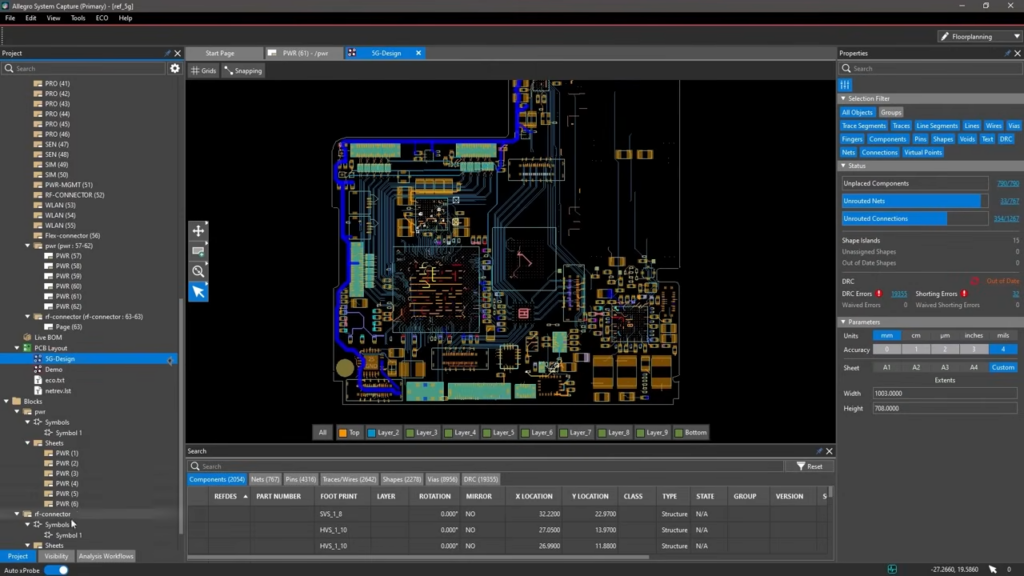
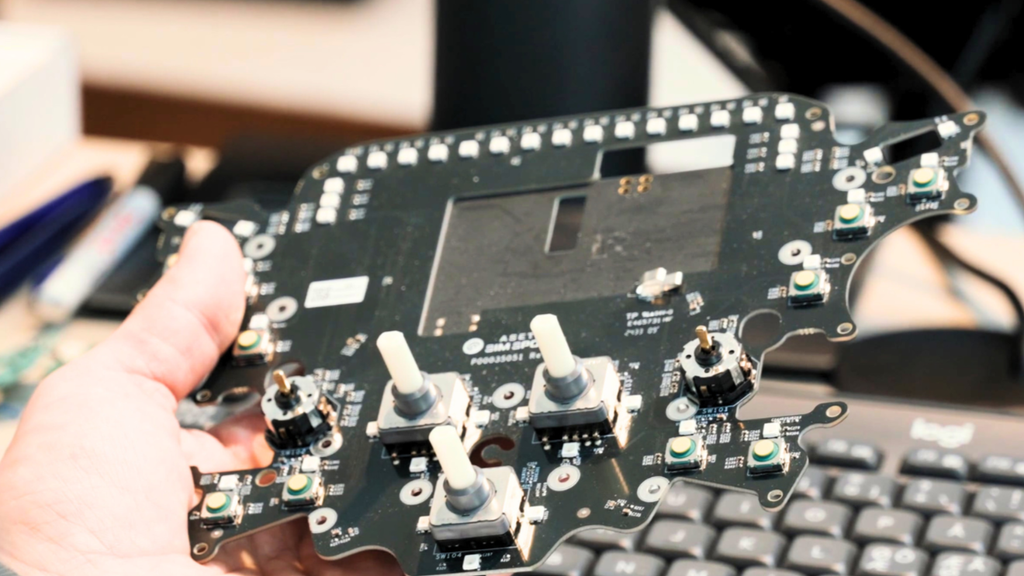
PCB Editor is the layout environment in Allegro X. It is designed for PCBs with numerous constraints and limited space, with rules applied in real time and analysis performed directly within the layout.

3,600+ installations throughout the Nordics

The challenge

It costs you time and money

  • There are too many constraints to keep track of as you go along
  • Analysis only happens once the layout is completed
  • Only one person can work in the layout at a time
  • Support responses that take days

The solution

We give you control back

  • Rules active while routing
  • Signal and power integrity checks performed on the layout
  • Multiple people can work on the same layout at the same time
  • Local hotline with responses from a specialist on the same day
Martin Lange

HOW IT WORKS

Constraints set the course, and the analysis follows

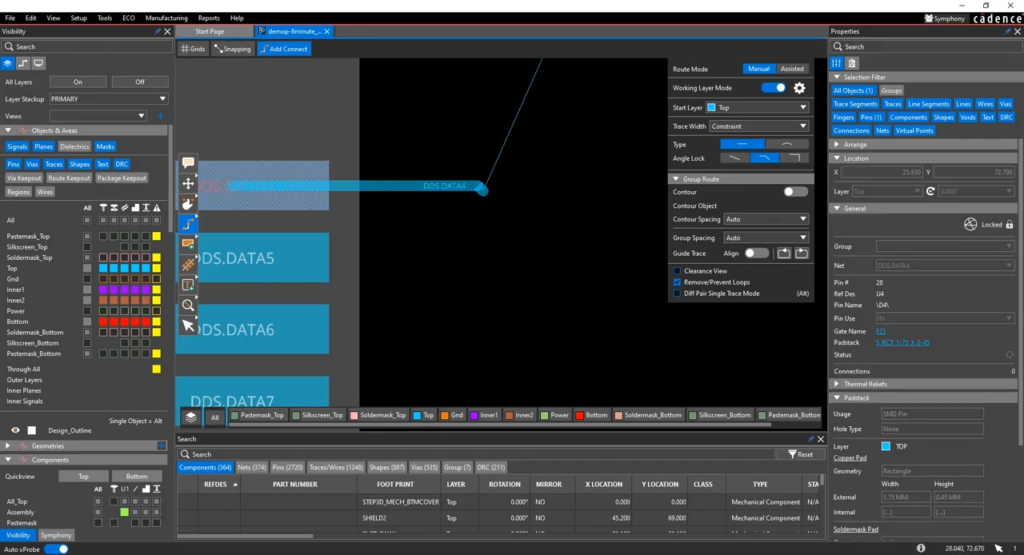
Constraint-Driven RoutingConstraints from the Constraint Manager apply to the layout. The tool routes according to them rather than checking afterward.
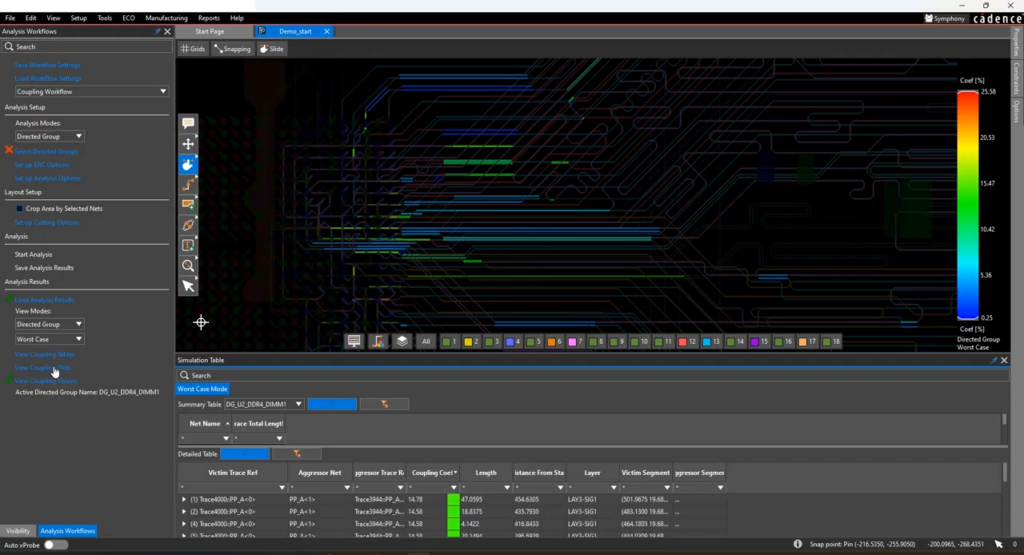
The analysis is included in the layoutSignal and power integrity checks can be performed on the fly using Sigrity X Aurora, allowing for immediate decision-making.
Multiple Users Working on the Same PCBPlacement, routing, and verification can be shared among multiple people, without anyone having to wait for the design to be returned.

VALUE

PCB Editor handles the layout of complex PCBs

Constraint-driven routing, AI, real-time analysis, advanced designs, and collaboration on the same design.

Routing

On a densely populated PCB, it's not the trace that's difficult. It's everything else that needs to be taken into account.

Constraint-Driven RoutingConstraints are enforced during routing
Differential pairs and length tuningNet with constraints routed as a group
Auto-interactive delay and phase tuningTiming is spot on without manual tuning

Allegro X AI

The time spent on the placement and routing of predictable tasks can be devoted to what requires an engineer.

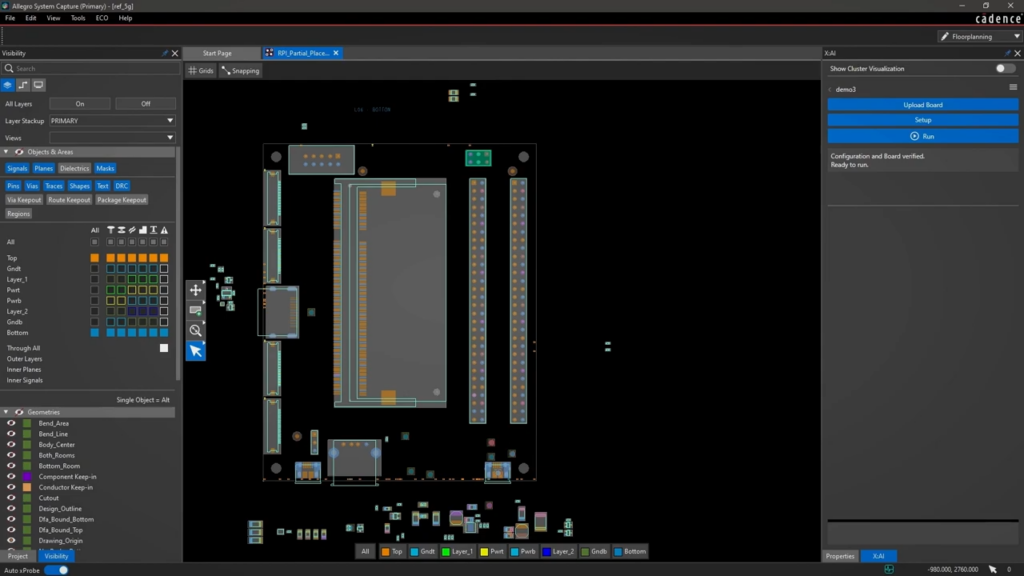
Generative PlacementPlacement suggestions based on constraints
AI RoutingAutomatic routing of large portions of the design
Power planesCreated based on design requirements

Krav og kontrol

Constraints must be present in the tool, not in a folder.

Constraint ManagerSame rules as in the schematic
Continuous DRCViolations displayed immediately
DesignTrue DFMAlso for miniaturization and complex drilling
Explore

Analyse i layoutet

The analysis that actually gets run is the one that fits seamlessly into the workflow.

Signal Integrity Along the WayImpedance, coupling, crosstalk, and return path
Power Integrity Along the WayIR drop and power planes
Sigrity X Aurora BackBased on the same principles as the in-depth analysis
Explore

Avancerede konstruktioner

What often makes a layout difficult is the actual design of the PCB.

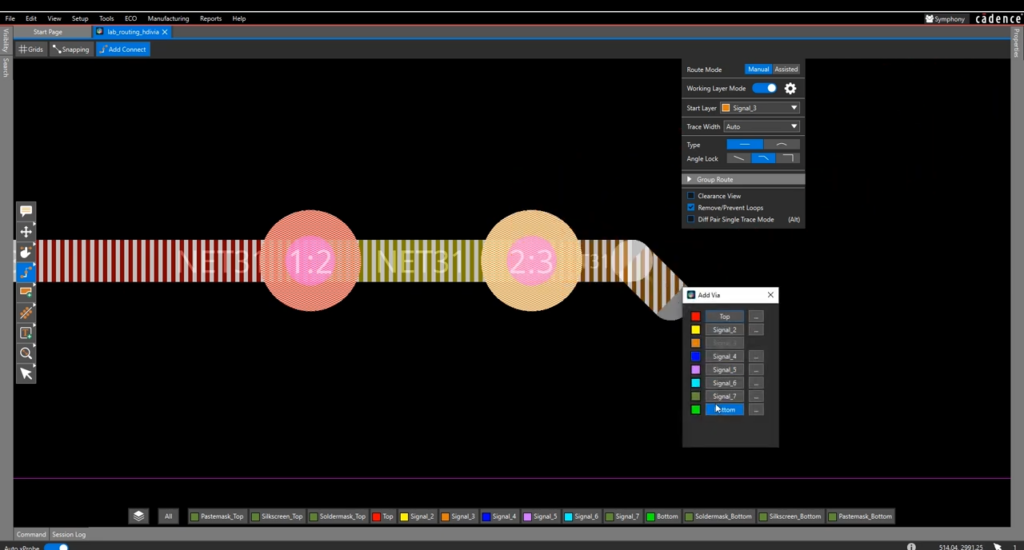
HDI and MiniaturizationMicrovias, stacked vias, and embedded components
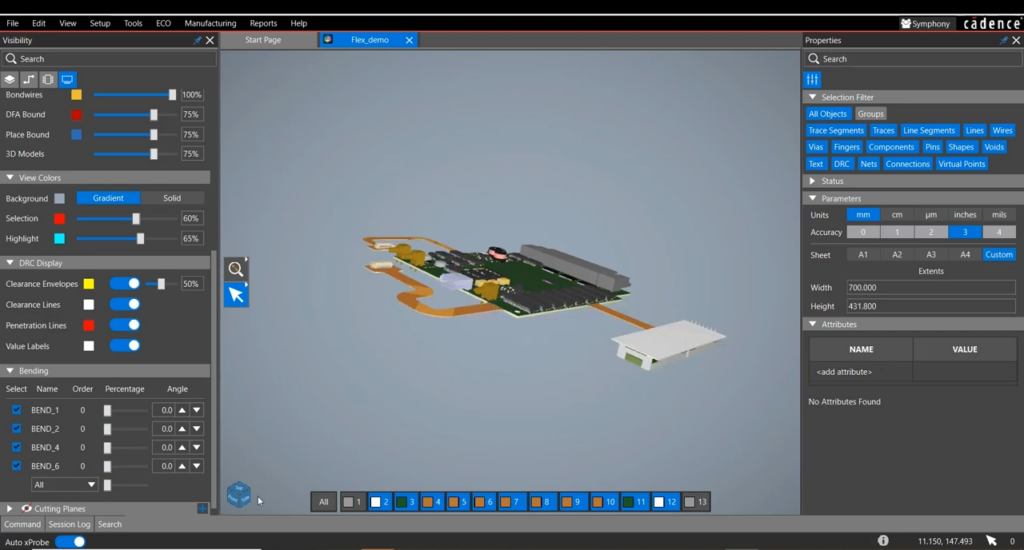
Rigid-flexZone-based stackup and bend radius control
Multiple PCBs in the Same SystemThe connection held

Collaboration

Large PCBs only become fast when more people can work on them.

Working SimultaneouslyMultiple users in the same layout
Keeping Track of ChangesWho Does What
Common Rules and LibrariesA Common Foundation for Everyone

COMPARE

When is Presto not enough?

Presto in OrCAD X Professional covers the vast majority of PCBs. Here are the differences that matter in the layout.

Feature OrCAD X ProfessionalAllegro X
Constraint-driven routing with real-time feedback
Differential pairs, timing, and length tuning
Rigid-flex with dedicated flex checks
Back drilling and HDI via stack
Allegro X AI: generative placement and routingAI-driven placement, routing, and power planes.
Concurrent layout collaboration for multiple designers
Miniaturisation: microvias, stacked vias, and embedded components
Rigid-flex with zone-based stackup, bookbinding, and bend radius control
Auto-interactive delay and phase tuning
Return path, IR drop, and power integrity directly in the design (Sigrity X Aurora)
In-layout thermal analysis (Celsius)
RF layout with AWR Microwave Office integration
Martin Lange

PURCHASE OR RENT

Purchase the license, or rent it for the period you need

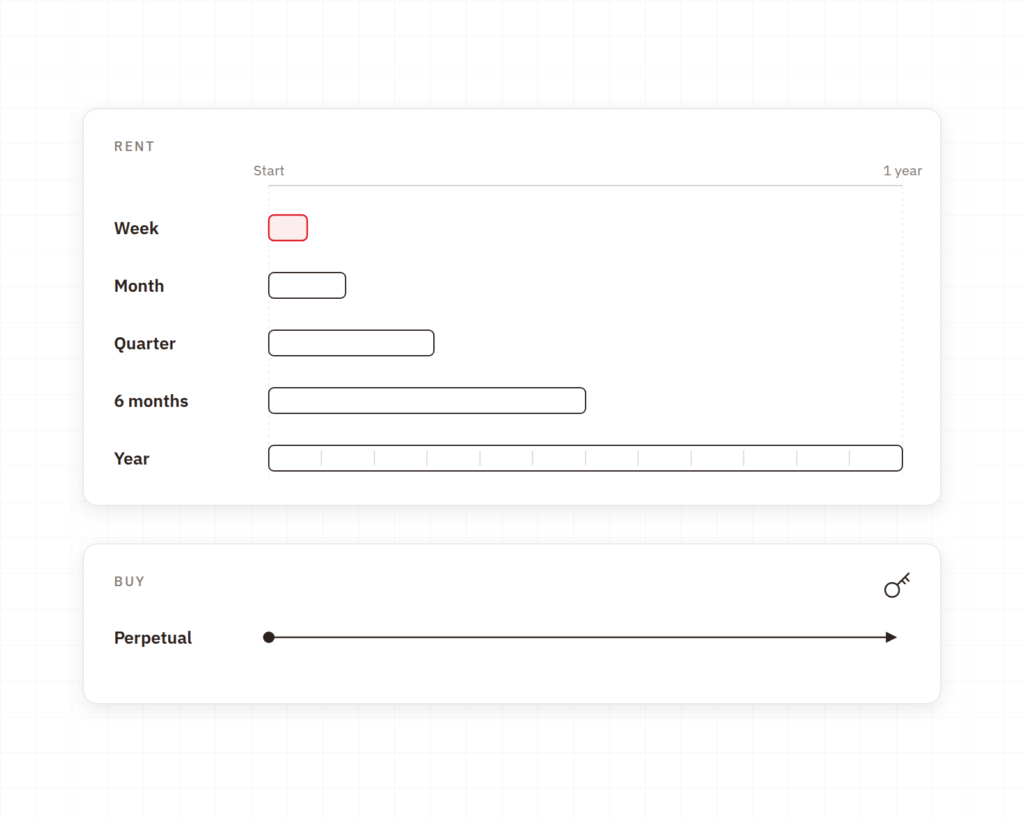
BuyThe license is yours permanently. This is the most obvious choice when complex layouts are a regular part of your development process and you don’t want to worry about renewals.
Rent for a projectBy the week, month, or quarter. This suits a defined project, a busy period, or an additional designer who needs to get started right away.
Rent continuouslyBy the half-year or year. This is for teams that want a fixed expense and the flexibility to adjust the number of licenses over time.

Implementation

How the PCB Editor Works in Practice

Cadence provides the tool. Nordcad helps you establish the rules and define the division of labor.

The Rules First

A constraint-driven layout tool is only useful if the rules are set up correctly. We provide guidance on how to configure them based on your requirements and those of your PCB supplier.

Division of Labor Agreed Upon

When multiple people are working on the same design, it’s important to agree on who is responsible for what. We can help you find a division of labor that fits your team’s size.

Local expertise and ongoing support

You'll have access to people who create complex layouts on a daily basis and who can respond while the design is still in progress.

CUSTOMERS

What Allegro X users say

Development teams working on complex designs in Allegro X with Nordcad as their technical partner.

”

We quickly identified many low-hanging fruits to streamline the process. Nordcad has been responsive and expert in delivery — and has helped us automate output, ensuring consistent results every time.

Torsten LarsenGlobal ECAD Solution Owner, Danfoss
”

With Allegro X, we can shorten the development cycle significantly — quickly assessing density and complexity, and adjusting the electrical design as we go.

Allan NørgaardSenior Specialist in Electronics Hardware Development Engineer, Velux

RESOURCES

Understanding Layout in Allegro X

Webinars and guides on high-speed design, constraints, and layout analysis.

Ready?

Ready to design with peace of mind?

A brief conversation is usually enough to determine whether your PCBs are the kind where Allegro X makes a difference. No sales pitch. No pressure. Just an open discussion about that last PCB that took longer than planned.

FAQ

Frequently Asked Questions

When there are enough constraints to require formal management, when the design becomes very dense with microvias and embedded components, or when the design consists of multiple interconnected PCBs. Until then, OrCAD X covers the vast majority of tasks.

Yes. The analysis in the layout is based on Sigrity X Aurora. The more in-depth analysis in PowerSI and Advanced SI can be added later if needed.

Yes. Rigid-flex is handled using zone-based stackup, book binding, and bend radius control. HDI covers microvias, stacked vias, and embedded components with its own miniaturization rules in Constraint Manager. We’ll determine which options you need based on your specific products.

It depends on how you work. The benefit of collaborative work only becomes apparent once several people are actually involved in the design process, and that’s one of the things you should consider before making a purchase.

Yes. Allegro X can be rented on a weekly, monthly, quarterly, semi-annual, or annual basis, and it is also available for purchase. This makes it possible to evaluate the platform on a specific project before making a final decision.

Contact us

Let us review your setup – without obligation.

A brief dialogue is often enough to clarify if Nordcad is the right choice for you. No pitch. No pressure.

15+ specialists