OrCAD X

Your entire PCB flow in one tool, from schematic to 3D layout and simulation.

Try for free for 30 days

Try the tools Contact us

Allegro X System Capture

The system, before the individual PCB

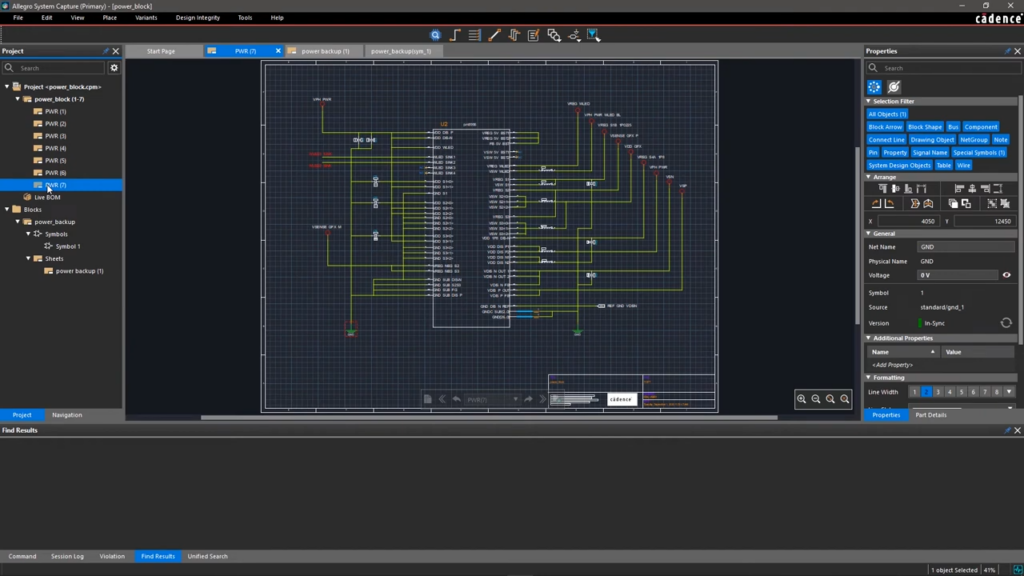
System Capture covers both the system architecture and individual schematics. It is the tool for hardware consisting of multiple PCBs and for teams working on the same design simultaneously.

3,600+ installations throughout the Nordics

The challenge

It costs you time and money

  • The system exists only as a drawing on a whiteboard
  • The connections between the PCBs do not align properly when they are assembled
  • Only one person can work on the schematic at a time
  • Support responses that take days

The solution

We give you control back

  • The System's Architecture as Part of the Design
  • Connections between PCBs checked in the tool
  • Multiple users can work on the same schematic at the same time
  • Local hotline with responses from a specialist on the same day
Martin Lange

HOW IT WORKS

From Block Diagram to Detailed Circuit

The System FirstThe layout is defined in terms of blocks and connections before the details are drawn. That’s where costly errors between PCBs otherwise occur.
Constraints are entered as they are decidedThe Constraint Manager is already available in the schematic, so a requirement does not need to be communicated to the person creating the layout.
Multiple people can work on it at the same timeThe design can be shared among several people, with clear tracking of who makes which changes. That’s what makes it possible to work on a large design without having to do it step by step.

VALUE

System Capture covers everything from the system to the individual network

System design, schematics, constraints, and collaboration—all in a single tool.

Systemniveauet

A product with multiple PCBs is more than the sum of its schematics.

Blocks and ConnectionsSystem Architecture as Design
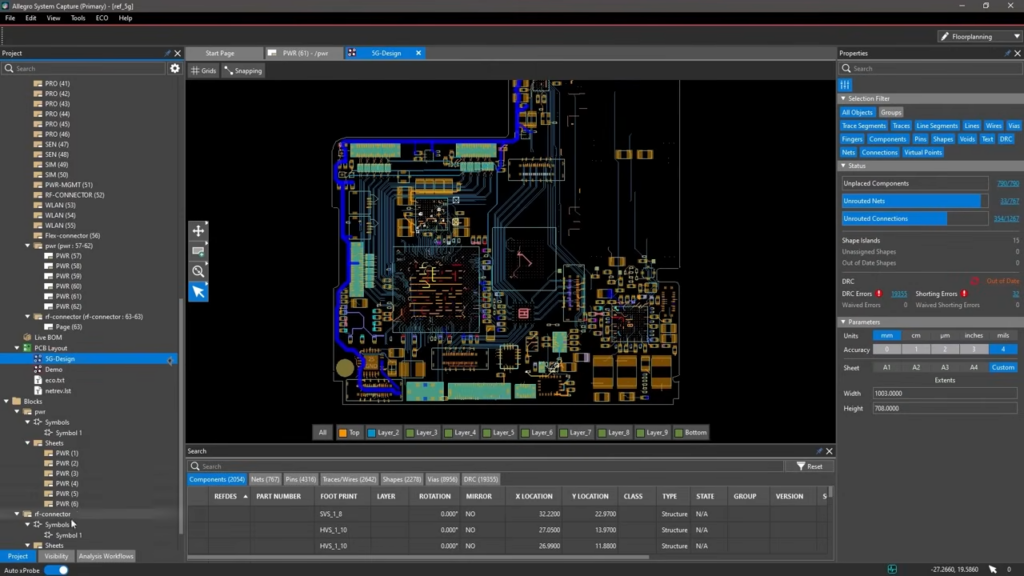
Multiple PCBs in the Same ProjectConnections checked
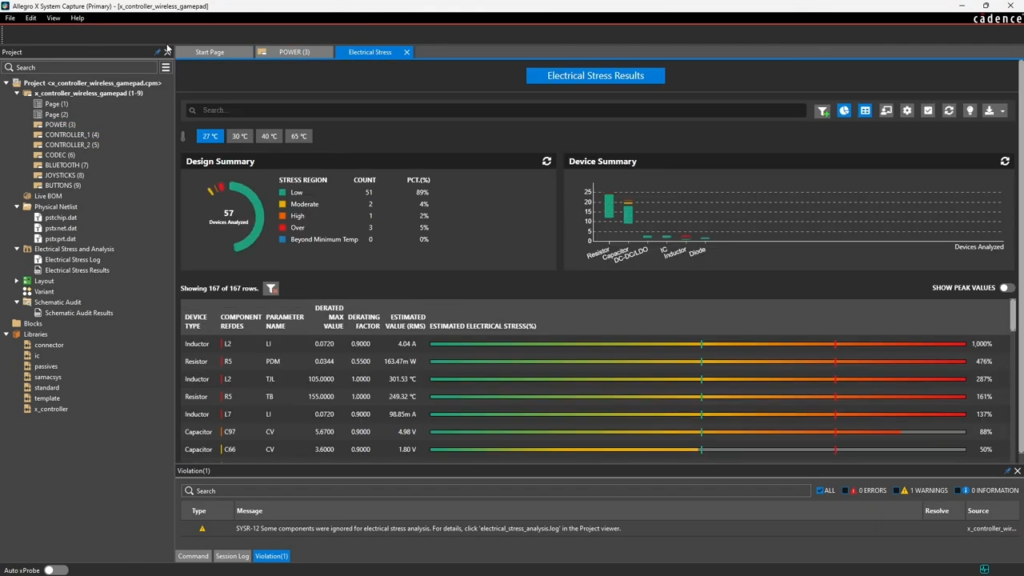
Reliability AnalysisEOS, MTBF, and Thermal Floorplanning in Schematic

Schematic

The details still need to be drawn, and they must be legible to others.

Hierarchical designReusable functional blocks
VariantsMultiple versions of the same product
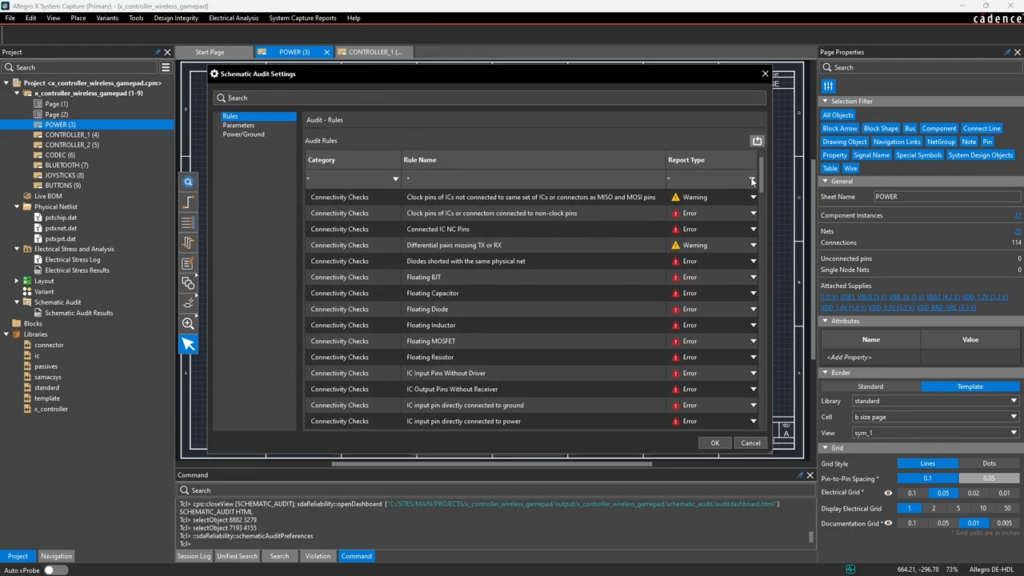
Design VerificationErrors Detected in the Schematic

Biblioteker og BOM

A great design stands or falls on the components it is built from.

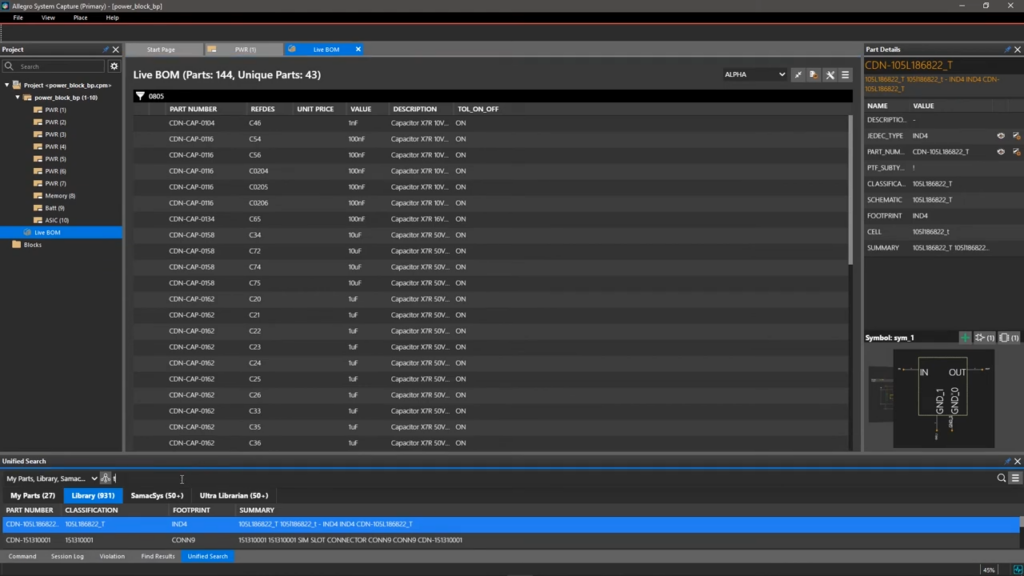
Library Management in the ToolCommon components across the team
LiveBOMPrice, availability, and delivery time included in the design
OrCAD LibrariesOLB and Design Entry HDL libraries can be reused

Constraints

In high-speed designs, constraints are part of the design, not an appendix to it.

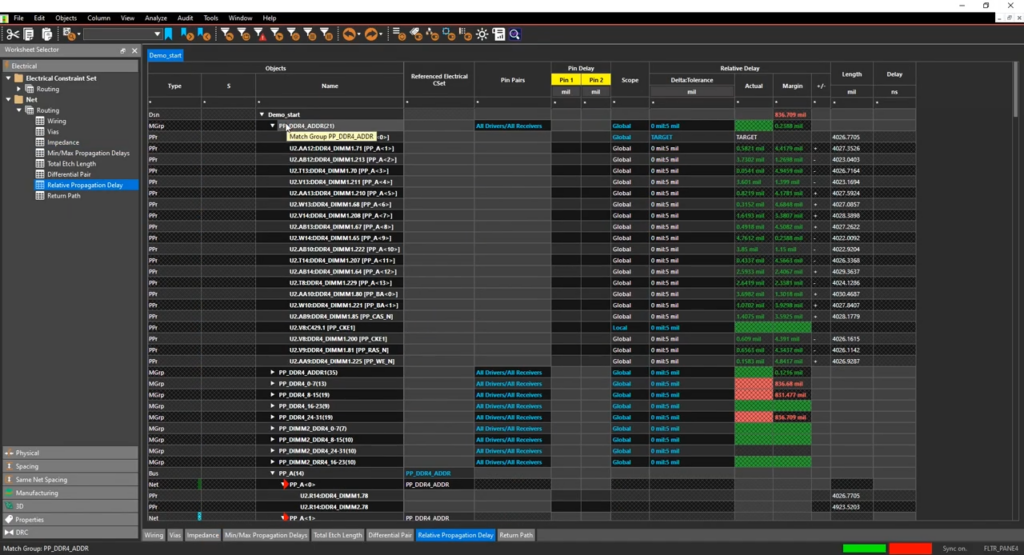
Constraint Manager in the schematicConstraints added where they are defined
This also applies to the layoutSame rules throughout
Reuse for the Next ProjectThe rules are included
Explore

Collaboration

What really sets the platform apart is that multiple users can be active at the same time.

Schematic Co-AuthoringMultiple users working on the same schematic at the same time
Locking Pages and BlocksKeep track of who changes what
Track ChangesDesign History

Downstream workflow

A schematic is the starting point of a process that must be coherent.

For Allegro X PCB EditorLayout based on the same dataset
For analysisConstraints and network data forwarded to Sigrity X
For BOM and PLMData from the design
Explore

COMPARE

When should you use System Capture instead of Capture?

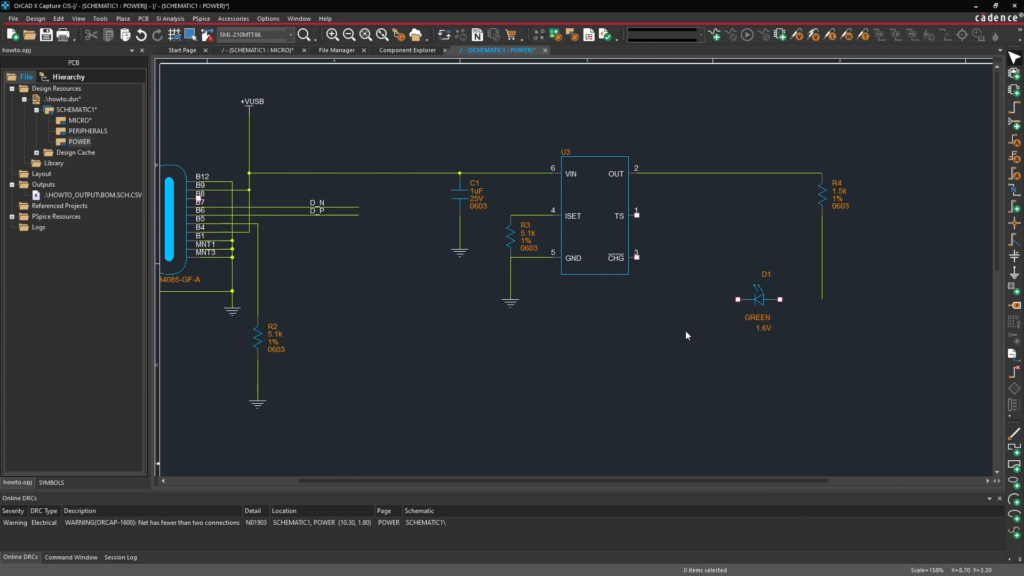
OrCAD X Capture supports schematics for most PCBs. System Capture is designed for systems with multiple PCBs and teams working on the same schematic.

Feature OrCAD X Capture (Professional)Allegro X System Capture
Hierarchical design, variants, and online DRC
Constraint management in schematic
Unified Part Search and Component Data
LiveBOM: price, stock, and lead time
PSpice simulation directly from schematic
Multiboard: Multiple PCBs in a Single System
Checking Connections Between PCBs
Schematic co-authoring with page and block locking
Automatic Placement of Decoupling Capacitors and Circuit Reuse
Reliability Analysis: EOS, MTBF, and Thermal Floorplanning
Reusing OrCAD Capture Libraries (OLB)
Martin Lange

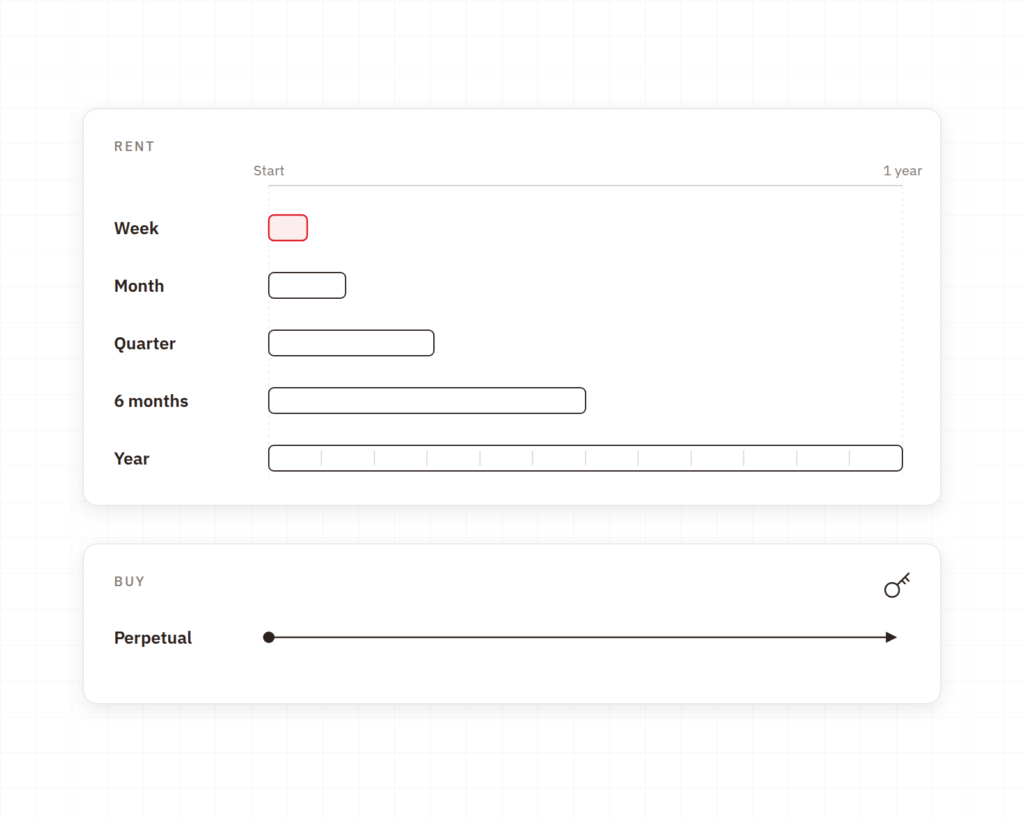
PURCHASE OR RENT

Purchase the license, or rent it for the period you need

PurchaseThe licence is yours permanently. This is the natural choice when complex designs are a permanent part of development and you prefer not to manage recurring renewals.
Rent for a projectBy the week, month, or quarter. This suits a defined project, a busy period, or an additional designer who needs to get started right away.
Rent continuouslyBy the half-year or year. This is for teams that want a fixed expense and the flexibility to adjust the number of licenses over time.

Implementation

How System Capture Works in Practice

Cadence provides the tool. Nordcad helps you tailor it to the way you work together.

Decide what constitutes a system and what constitutes a PCB

The most important consideration is how the project is broken down. We provide guidance on this because it determines how easy it will be for multiple people to work on the design.

Constraints from the start

Constraint Manager is only useful once the rules are actually in place. We help you get the first sets of rules in place and make them reusable.

Local expertise and ongoing support

You'll have access to people who work on large-scale hardware designs on a daily basis.

CUSTOMERS

What Allegro X users say

Development teams working on complex designs in Allegro X with Nordcad as their technical partner.

”

We quickly identified many low-hanging fruits to streamline the process. Nordcad has been responsive and expert in delivery — and has helped us automate output, ensuring consistent results every time.

Torsten LarsenGlobal ECAD Solution Owner, Danfoss
”

With Allegro X, we can shorten the development cycle significantly — quickly assessing density and complexity, and adjusting the electrical design as we go.

Allan NørgaardSenior Specialist in Electronics Hardware Development Engineer, Velux

RESOURCES

Insights on Allegro X

Webinars and guides on schematics, constraints, and complex designs.

Ready?

Ready to design with peace of mind?

A brief conversation is usually enough to determine whether your designs require the system level. No sales pitch. No pressure. Just an open discussion about how your products are put together.

FAQ

Frequently Asked Questions

It also covers standard schematic design work, but the difference lies in the system level and collaboration. If neither of these factors is relevant to you, OrCAD X Capture is usually the right solution.

It depends on how the project is structured. The point is that the work doesn't have to be done in sequence, and how much that matters depends on the scope of the design.

Yes. System Capture can use OrCAD Capture-based OLB libraries and Design Entry HDL libraries. This makes the transition less of a challenge than many expect. We review the libraries early on because they determine how much needs to be moved.

Constraint Manager is available in both places. A constraint added to the schematic also applies during routing, which is why it does not need to be passed on.

Yes. Allegro X can be rented on a weekly, monthly, quarterly, semi-annual, or annual basis, and it is also available for purchase. This makes it possible to evaluate the platform on a specific project before making a final decision.

Contact us

Let us review your setup – without obligation.

A brief dialogue is often enough to clarify if Nordcad is the right choice for you. No pitch. No pressure.

15+ specialists